LiveDock – Complete Live Streaming System with Desktop, Mobile & Web Apps
Preview and demo
Status: unchecked. Availability checks are not a security guarantee.
Description
LiveDock — Live Streaming Application System
An integrated live streaming application system featuring desktop and mobile streaming, Web-based live viewing, real-time interaction, and administrative management.
Product Overview
LiveDock is a live streaming system built with modern web and mobile development technologies. It consists of a server, Web client, desktop streaming application, mobile streaming application, and administration panel.
The system supports the live streaming workflow, from audio and video capture and RTMP streaming to live playback, real-time interaction, and administrative management. It provides developers with a functional, modifiable, and extensible source code solution that can be further customized according to their own requirements.
Core Features
1. Desktop Streaming Application
A desktop streaming application developed with Electron, Vue 3, and TypeScript.
Full-screen and window capture
Camera capture with picture-in-picture support
Microphone and system audio capture
RTMP streaming
Hardware and software encoding options
Available encoder detection and selection
Real-time chat message display
TTS (Text-to-Speech) voice announcements
The desktop application uses FFmpeg for audio and video capture, processing, and streaming. FFmpeg runtime binaries are included in the project, so users do not need to install FFmpeg separately. Refer to the project documentation for third-party component and license information.
2. Mobile Streaming Application
A mobile streaming application developed with Flutter, primarily targeting Android.
User login and live room binding
Camera and microphone capture
RTMP streaming
Front and rear camera switching
Streaming status monitoring and error handling
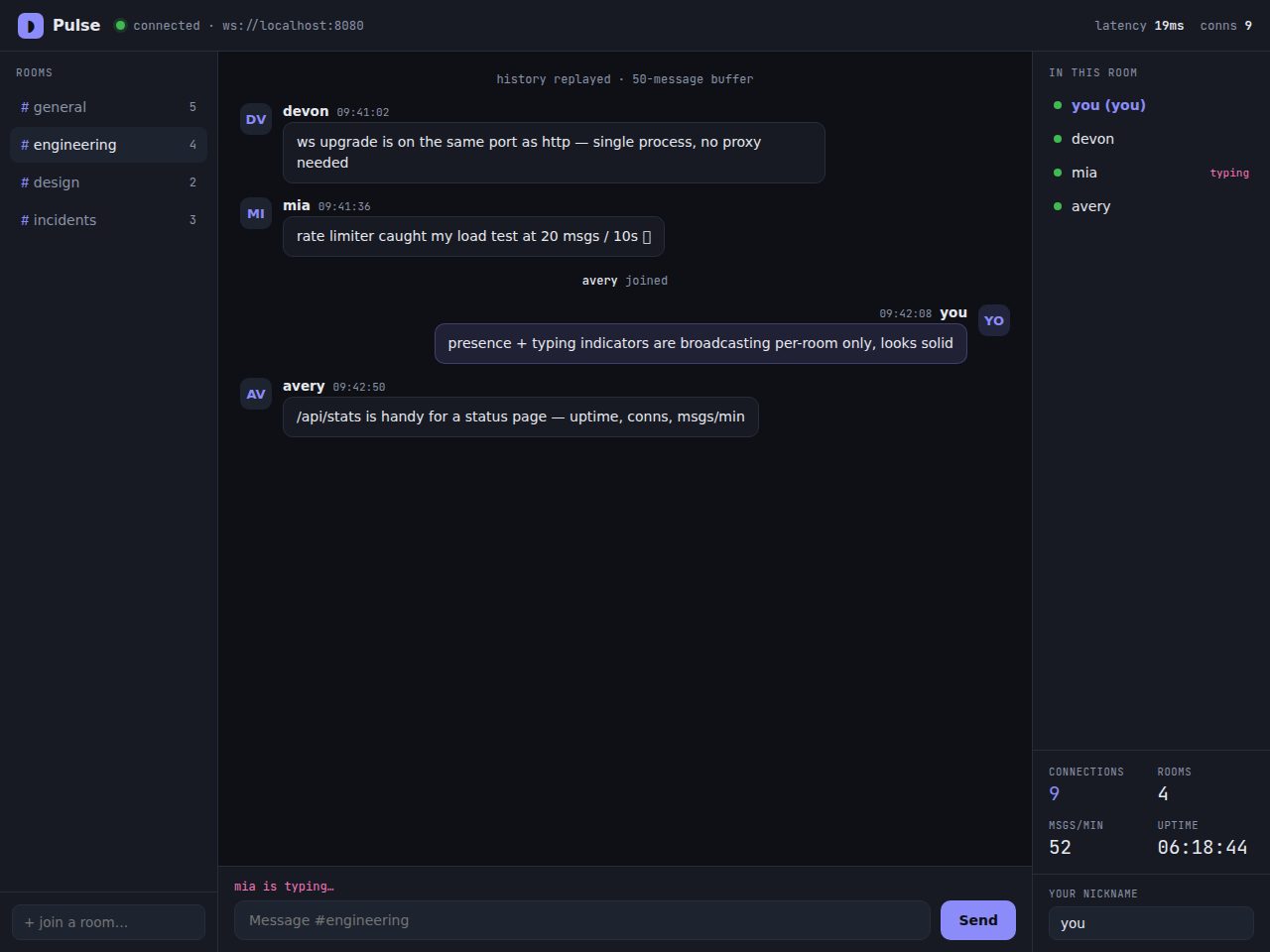
WebSocket real-time chat
Emoji messages and online user display
Live status synchronization
3. Web Live Streaming Client
A Web client built with Vue 3, providing viewers with live playback and real-time interaction features.
User registration and login
Guest access
Live room list and details
HLS live playback
WebSocket real-time chat
Online user display
Live status synchronization
WebSocket reconnection handling
4. Real-Time Interaction
The system uses WebSocket for real-time communication and interaction across its connected applications.
Real-time chat messages
Online user status
Live status notifications
Real-time message synchronization across clients
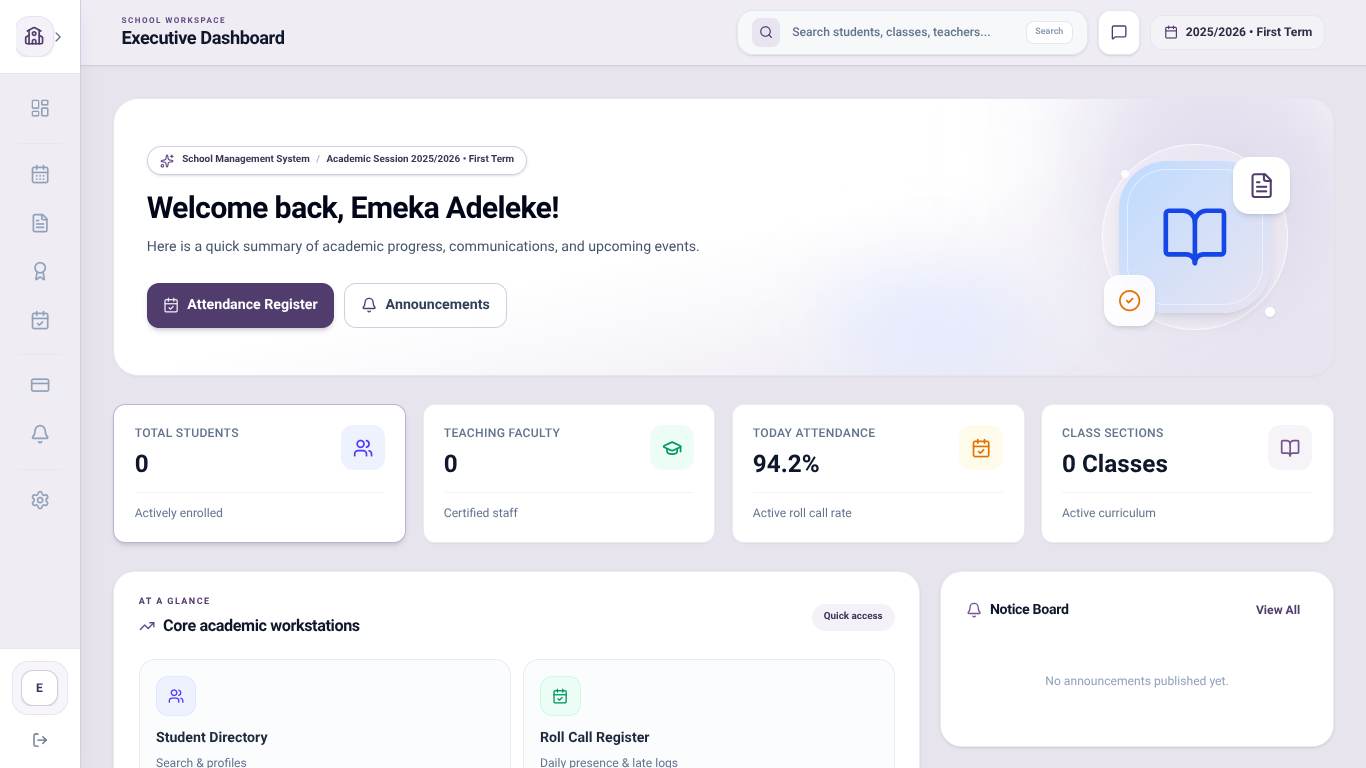
5. Administration Panel
Provides commonly used live streaming business management features.
User management
Live room management
Gift management
Role and permission management
6. Server and Streaming Media Support
The backend is built with Node.js and Express, using MySQL, Redis, and WebSocket for business data management and real-time communication. SRS provides streaming media services.
User authentication and management
Live room business management
Live status management
WebSocket real-time communication
Database and caching support
SRS streaming callback handling
Docker Compose deployment configuration
Why Choose LiveDock?
Integrated Application Modules
Includes source code for desktop and mobile streaming applications, a Web-based viewing client, a backend server, and an administration panel.
Practical Streaming Features
Provides essential streaming and interaction features, including screen capture, camera picture-in-picture, audio capture, RTMP streaming, HLS playback, and real-time chat.
Easy to Customize and Extend
Each module has a relatively independent project structure, allowing developers to modify interfaces, business logic, and existing functionality according to their requirements.
Deployment Configuration and Documentation
Includes Docker Compose configuration for server deployment, environment configuration examples, and project documentation to help developers understand the system's setup and operation.
Technology Stack
Server: Node.js, Express, MySQL, Redis, Sequelize, WebSocket
Streaming Media Server: SRS
Web Client: Vue 3, Vue Router, Pinia, Ant Design Vue, Axios, HLS.js
Desktop Application: Electron, Vue 3, TypeScript, FFmpeg
Mobile Application: Flutter, Dart
Deployment: Docker, Docker Compose
Package Contents
The following source code and documentation are included with the purchase:
LiveDock Server: Backend server source code
LiveDock Web: Web client source code
LiveDock Desktop: Desktop streaming application source code
LiveDock Mobile: Mobile streaming application source code
LiveDock Admin: Administration panel source code
Project deployment, configuration, and usage documentation
System Requirements
Server
Node.js environment
MySQL
Redis
SRS streaming server
Docker and Docker Compose (recommended deployment method)
Desktop Application
Windows 10 / Windows 11 (primary development and testing platforms)
Electron development environment (for source code development)
FFmpeg runtime files included in the project
Supported encoding methods depend on the included FFmpeg build, device hardware, and driver environment.
Mobile Application
Flutter development environment
Android SDK
Android test device or emulator
Web Client and Admin Panel
Node.js development environment
Modern Web browser
Current Version Limitations
The current version is primarily designed for basic live streaming scenarios involving a single host and a single live room.
Supports streaming from both desktop and mobile applications
Supports Web-based live viewing and real-time interaction
Supports user, live room, and related business management
The current version does not include advanced production features such as multi-host co-streaming, multi-camera directing, or simultaneous streaming to multiple platforms.
Windows 10 and Windows 11 are the primary supported desktop platforms. Android is the primary supported mobile platform. macOS and iOS support have not been fully tested.
Third-Party Components and Open-Source Licenses
LiveDock uses third-party open-source components, including Vue.js, Electron, Flutter, SRS, MySQL, Redis, and FFmpeg.
The included FFmpeg executable is distributed as a standalone command-line program and is invoked as a separate child process rather than being linked into the LiveDock application.
Third-party components remain subject to their respective licenses. Please refer to the included license notices and documentation for applicable license terms and distribution requirements.
Official FFmpeg licensing information: https://www.ffmpeg.org/legal.html
License and Technical Support
The permitted scope of use, redistribution restrictions, and other licensing conditions are governed by the license agreement provided on the product page.
The scope of support for installation, configuration, and usage is subject to the support policy published on the product page.
Features
Requirements
Server
- Node.js environment
- MySQL 8.0+
- Redis
- Docker and Docker Compose (recommended)
Desktop Application
- Windows 10 / Windows 11
- Node.js 21.7.3+ (for development)
- FFmpeg runtime files (included)
Mobile Application
- Flutter development environment
- Android SDK
- Android 8.0+ device (recommended)
Web Client and Admin Panel
- Node.js development environment
- Modern web browser
Additional Requirements
- A running LiveDock Server instance is required for authentication, live room access, and real-time interaction.
- A compatible SRS server is required for RTMP streaming and HLS playback.
Changelog
## Version 1.0.0
- Initial release of LiveDock.
- Added desktop live streaming application.
- Added Android mobile streaming application.
- Added Web live streaming client.
- Added real-time chat and interaction features.
- Added administration panel.
- Added server source code and Docker Compose deployment configuration.
- Included project documentation.
Frequently Asked Questions
1. What is included in the purchase?
The purchase includes the LiveDock source code, covering the server, Web client, desktop streaming application, Android mobile application, and admin panel. Documentation and deployment configuration files are also included.
2. Which operating systems are supported?
LiveDock Desktop is primarily developed and tested on Windows 10 and Windows 11. The mobile application primarily supports Android. macOS and iOS code is included where applicable but has not been fully tested.
3. What technologies does LiveDock use?
LiveDock uses Node.js, Express, MySQL, Redis, Vue 3, Electron, Flutter, and FFmpeg. SRS is used for streaming services, while Docker Compose is provided for server deployment.
4. Is FFmpeg included?
Yes. The desktop application includes FFmpeg runtime files, so users do not need to install FFmpeg separately. You can also replace the included FFmpeg build if needed.
5. Does LiveDock support Docker deployment?
Yes. The server includes Docker Compose configuration files to simplify deployment of the backend and its required services.
6. Does LiveDock support multiple hosts or simultaneous streaming to multiple platforms?
No. The current version is designed for a basic single-host live streaming scenario. It does not include multi-host co-streaming, multi-camera production, or simultaneous streaming to multiple platforms.
7. Can I modify the source code?
Yes. The source code is included, allowing you to customize the application, modify existing features, and extend the system according to your requirements.
8. Is technical support included?
The included documentation covers the main project structure, configuration, and deployment procedures. For questions or issues not covered by the documentation, you can contact the seller through the support channel provided on the product page.
Automated scan not passed
Version 1.0.0 did not pass the automated security checks. No scan result is shown for this version. How product review works
Technical requirements
- Node.js
- Database: MySQL
- Node.js 20+ required
- Shared hosting may not be sufficient
- Docker deployment supported
What is included
- Template package with full downloadable files
- Documentation included for installation and setup
- Readable source code for customization
- 12 listed features
- Changelog included on the product page
Who is this product for
- Buyers who need a template rather than a custom build from scratch
- Teams shopping within Node.js
- Projects already using Vue 3, Vue Router, Pinia
- Use cases aligned with javascript, vue, axios, node
License and usage
- Regular license for one end product where end users are not charged for access to the item itself
- Extended license for one end product where end users can be charged
- Verify the exact usage rights on the selected license before deployment or client handoff
- Keep the purchase record and license certificate for future verification
Updates and support
- Typical seller response time: Within 24 hours
- 2 months of seller support included
- Technical support is provided for issues related to the original source code, installation, configuration, and deployment. Support is limited to the functionality and implementation of the source code as originally provided. Issues caused by custom modifications, third-party services, or the buyer's environment are not covered.
- Updates may be provided at the seller's discretion. Updates may include bug fixes, improvements, or compatibility changes. No guaranteed update schedule or lifetime updates are included.
- Use the changelog to confirm ongoing maintenance before rollout
Technical details
- Current version
- 1.0.0
- Last updated
- Nov 22, 2026
- Framework
- Node.js 21.7.3
- Databases
- MySQL
- Frontend stack
- Vue 3, Vue Router, Pinia, Ant Design Vue, Axios, HLS.js
- Shared hosting
- No
- Docker
- Yes
- Composer required
- No
- Node.js required
- Yes, 20+
- Documentation
- Yes
- Source encrypted
- No
- Source obfuscated
- No
- License options
- Regular, Extended
- Support period
- 2 months of seller support included
Marketplace review
Content review processReviewed 22. 11. 2026. The current version was reviewed.
The marketplace reviewed the listing content, package structure and required documentation.
Automated checks looked for suspicious files and common malware indicators.
This is not a full penetration test or a guarantee that the product is vulnerability-free.
License comparison
A license is tied to one end product, not strictly to one domain. Development, staging, and the final production domain may belong to the same licensed deployment.
| Use | Regular License | Extended License |
|---|---|---|
| Source code modification | ||
| Own project use | ||
| One client project | ||
| One production deployment | ||
| Development and staging | ||
| Paid SaaS or paid user access | ||
| Multiple unrelated client projects | ||
| Redistribute source code | ||
| Resell source code |
License FAQ
Can I modify the source code?
Yes, under both licenses.
Can I use the script for a client?
Yes, for one client end product.
Can I install it on a staging domain?
Yes. Development and staging may belong to the licensed deployment.
Do I need another license for another client?
Yes, each unrelated client end product needs its own license.
Can I use it for a paid SaaS?
Yes, with an Extended License.
Can I resell the source code?
No. Standalone redistribution or resale is prohibited.
Is a license limited strictly to one domain?
No. It is tied to one end product, which may use development, staging, and production domains.
For one end product — free to end users
Item Details
- Last Update
- November 22, 2026
- Published
- November 21, 2026
- Version
- 1.0.0
- Category
- Node.js
- Product Type
- Template
- Sale Type
- Source Code License
- Sales
- 0
- Reviews
- No reviews
Technologies
License Info
Regular License — Use in one end product which end users are not charged for.
Extended License — Use in one end product which end users can be charged for.
Verify a license key →